Editable Graduation 2024: Your Complete Digital Toolkit
The end of an academic year is a whirlwind of emotion—pride, relief, excitement for the future. For designers, marketers, and small business owners, it’s also a massive seasonal opportunity. Creating materials that capture this celebratory spirit, however, requires more than just a "Congrats Grad!" message. It demands a cohesive, professional, and instantly recognizable visual language. This is where a dedicated design asset like Editable Graduation 2024 moves from being a nice-to-have to an essential time-saver and quality booster.
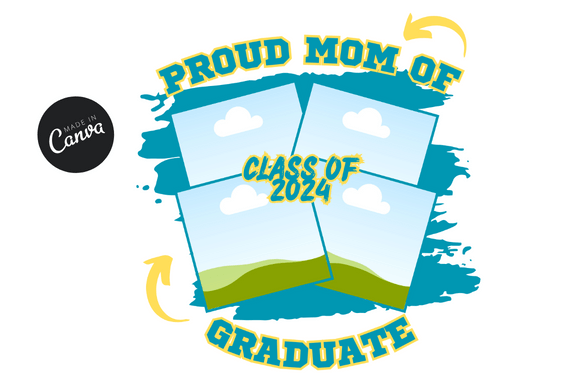
This isn't just a single graphic. It's a curated digital product designed for versatility. At its core, the package includes one fully editable template built within Canva, delivered via a convenient PDF link. The template is sized at 1080x1080 pixels, a square format optimized for social media feeds like Instagram, Facebook, and LinkedIn. This specific size ensures your visuals look crisp and balanced without awkward cropping, making it perfect for announcement posts, event promotions, or celebratory features.
Visual Character and Practical Application
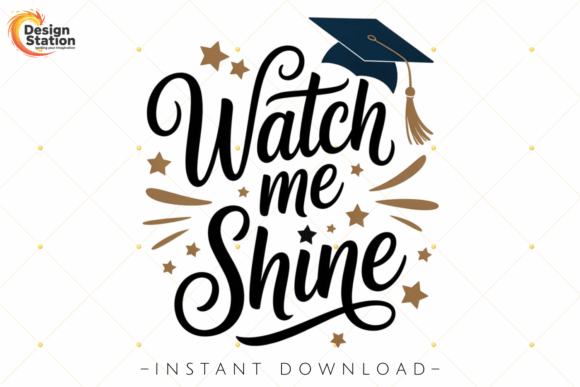
The design ethos behind Editable Graduation 2024 leans into a classic, elegant aesthetic. Think sophisticated gold accents against clean backgrounds, sharp typographic hierarchy, and symbolic elements like caps, diplomas, and laurel wreaths rendered in a vector design style. This gives the template a timeless quality—it feels celebratory and prestigious without being childish or overly trendy. The personality is one of achievement and formality, making it suitable for both personal announcements and institutional communications from schools, colleges, and universities.
Where does this asset truly shine? Its primary strength is in social media graphics. A university's marketing department can use it to create a consistent stream of congratulation posts for graduating classes. A small business owner, like a photographer or event planner, can quickly mock up promotional materials for graduation portrait sessions or party services. For bloggers and content creators in the education niche, it provides a polished framework for year-end roundup posts or inspirational quotes about success and new beginnings. The editable nature means you can swap out the year, change the institution's name, or adjust the color palette to match specific brand guidelines in minutes, not hours.
Beyond the Post: Strategic Design Integration
While the 1080x1080 size is perfect for digital, the value of a well-designed template extends further. The visual components—the gold vector elements, the clean layout, the typographic balance—can inspire and inform other projects. A designer might extract the color scheme or layout principles to create complementary materials. Imagine using the same gold accent color and serif font pairing from the social template on a printed invitation, a campus award certificate, or a yearbook cover. This creates a seamless brand identity for a graduation campaign, ensuring recognition and professionalism across all touchpoints.
The real-world impact is on efficiency and perceived quality. For a solo entrepreneur or a small marketing team, "saving hours of precious time" isn't an exaggeration. Instead of starting from a blank canvas, you begin with a professionally structured layout. This allows you to focus on customization and messaging rather than foundational design work. The result is a more consistent, higher-quality output that builds trust with your audience. A polished graduation graphic signals that an organization values its students and their achievement, while a personal announcement gains a layer of sophistication.
Choosing and Using Your Template Effectively
Before diving in, a quick evaluation ensures the template fits your project's needs. First, examine the included styles. Does the existing color palette (often black, white, and gold) align with your brand or the institution's colors? Since it's editable, this can be adjusted, but starting close to your goal is helpful. Next, consider the font choices within the template. A strong serif font might be used for headlines to convey tradition, paired with a clean sans serif for body text to ensure readability. Test how these font pairings look with your specific text. If your message is longer, does the layout still breathe?
Practical testing is key. Duplicate the template and experiment. Change the headline text to see how the typography scales. Swap the background color to a deep navy or forest green. Does the gold remain legible and elegant? If you're using this for a client or a specific school, ensure you have the right to use any included design assets like the cap or diploma icons for commercial purposes—this is typically granted with such digital products, but it's always good practice to verify. The goal is to make the template your own while respecting its core design integrity.
Ultimately, Editable Graduation 2024 is a practical design asset that solves a specific, recurring creative challenge. It provides a foundation of quality and consistency, freeing you to focus on the unique message and celebration at hand. Whether you're announcing a graduate's success, promoting an academic ceremony, or creating party invitations, having a reliable, elegant template in your toolkit makes the seasonal design rush far more manageable and the final output far more impressive.